

Table of Contents
Key Takeaways
• The ODI_LOAD_PLAN table is a repository object that stores the design-time metadata for Oracle Data Integrator Load Plans.
• It allows developers to access backend definitions of Load Plans, including their names, unique IDs, and step hierarchies, directly via SQL.
• Actual runtime execution data is stored in separate instance tables, typically named SNP_LP_INST, rather than the definition table itself.
• Direct modification of this table is prohibited as it risks corrupting the ODI work repository data dictionary.
Introduction
All of ODI objects, whether master or work repository related, are saved in database tables.
While you can get some info from those tables using a database connection, you can’t add / or delete or alter them prior referring to Oracle support first, so that you can keep your tool running consistently without data dictionary corruption.
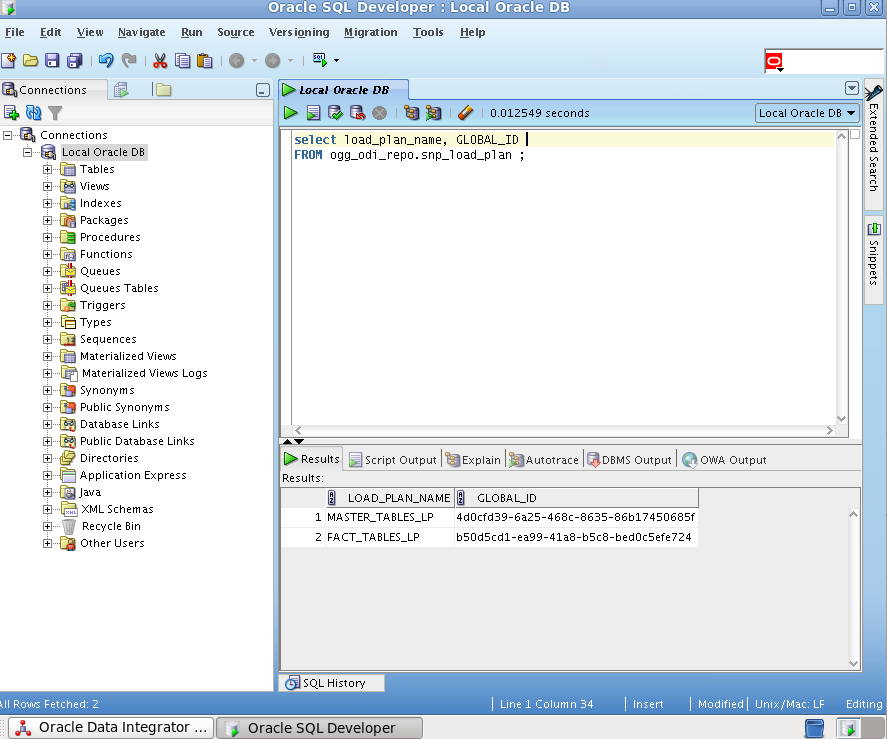
When load plans are created, their info is saved in the work repository ODI_LOAD_PLAN database table .
In the example below, we shall use the Getting Started with Oracle Data Integrator Getting Started, 12c (12.2.1.3.0) Virtual machine in 5 simple steps:
1-Connect to the work repository : OGG_ODI_WREP
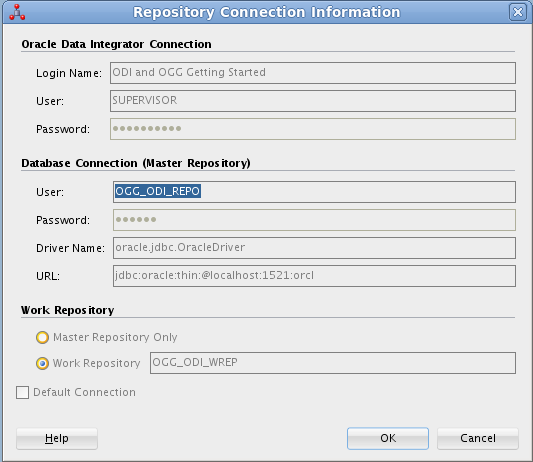
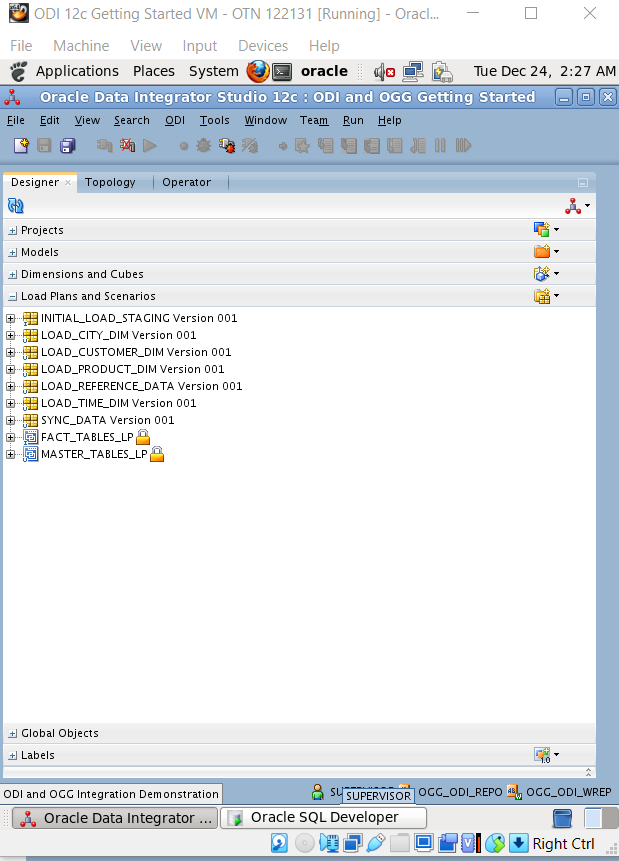
2- As an example, we have created the2 load plans below :
FACT_TABLES_LP
MASTER_TABLES_LP
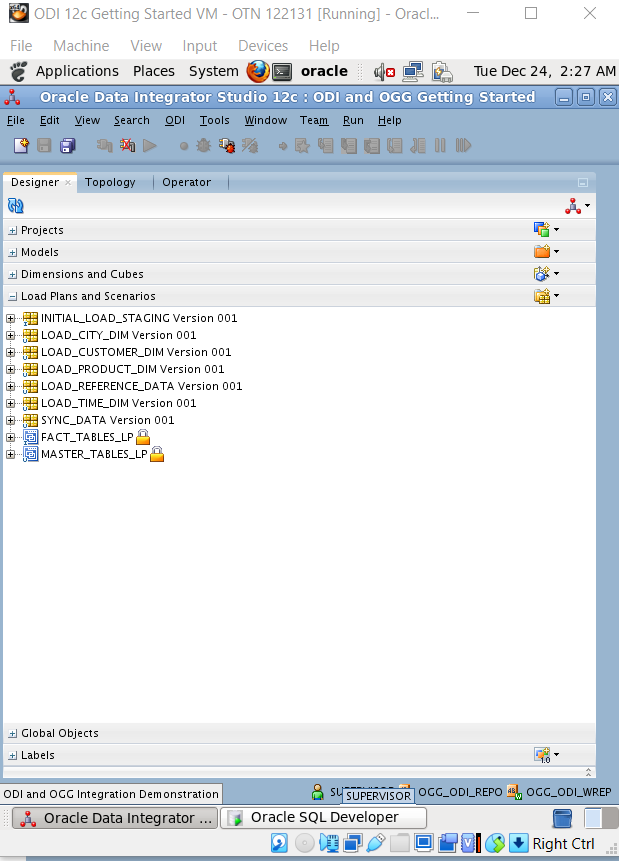
3-Get the underlying Work repository relevant schema , you can find its details in the repository connection information :
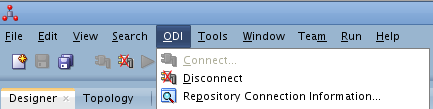
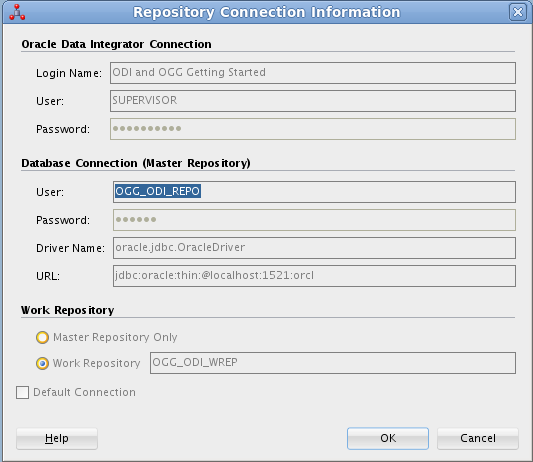
4- Goto sql developer ,connect to OGG_ODI_REPO schema :
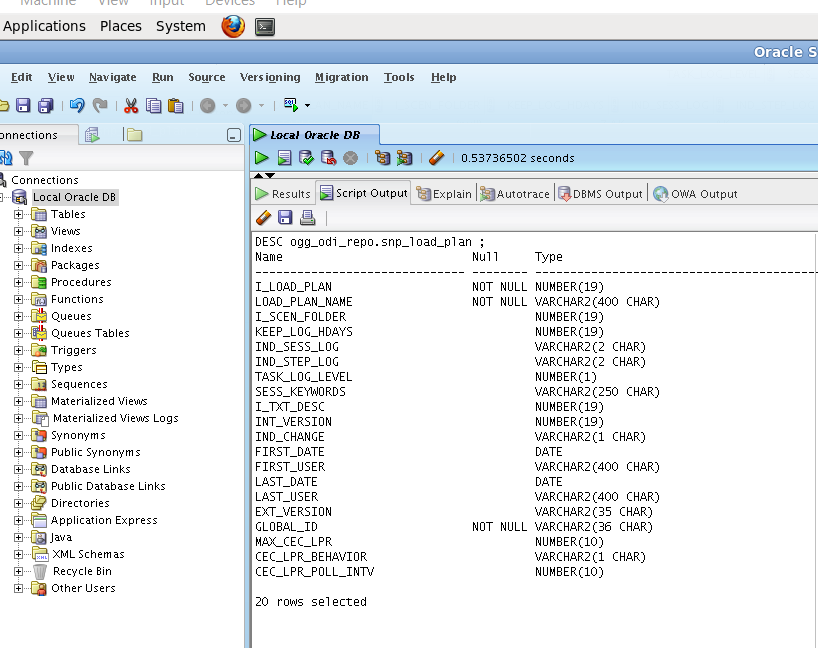
5- Same load plans existing in ODI and snp_load_plan table :
People Also Asked (FAQs)
1.What is the function of the ODI_LOAD_PLAN table?
The ODI_LOAD_PLAN table (technically stored as SNP_LOAD_PLAN in the Work Repository) holds the metadata definitions of Load Plans, including their hierarchy, steps, and variables. It does not store runtime execution logs, which are found in SNP_LP_INST tables.
2.Can I manually update the ODI_LOAD_PLAN table?
You should strictly avoid manually modifying this table. Direct inserts, updates, or deletes can cause severe data dictionary corruption and inconsistencies between the ODI Studio GUI and the backend repository. Always use the ODI Studio interface or SDK for changes.
3.How do I query ODI Load Plans in SQL Developer?
To query load plans, connect to your ODI Work Repository schema (e.g., OGG_ODI_WREP) using a tool like SQL Developer. Select from the SNP_LOAD_PLAN table to view definitions or SNP_LP_INST to view execution instances and run statuses.
4.What is the difference between SNP_LOAD_PLAN and SNP_LP_INST?
The SNP_LOAD_PLAN table stores the static design-time definition of the load plan. In contrast, the SNP_LP_INST table (Load Plan Instance) stores the runtime data, created each time a load plan is executed, tracking its specific run status and history.
5.Which ODI repository schema contains the ODI_LOAD_PLAN table?
This table is located in the ODI Work Repository schema. Unlike Master Repository tables (which store topology and security), execution objects like Load Plans and Scenarios are specific to the Work Repository where development occurs.
6.What are the important columns in the SNP_LOAD_PLAN table?
Key columns include I_LOAD_PLAN (internal unique identifier), LP_NAME (the name of the load plan), and LP_STATUS (current activation status). These columns are essential for joining with other tables like SNP_LP_STEP for reporting.
7.Does the ODI_LOAD_PLAN table store execution errors?
While SNP_LOAD_PLAN defines the plan, execution errors are logged in the SNP_LPI_EXC_LOG and SNP_LPI_STEP_LOG tables. These tables link back to the instance ID found in SNP_LP_INST, allowing detailed error tracking per execution.
8.Can I link ODI_LOAD_PLAN to specific Scenarios?
Yes, you can join SNP_LOAD_PLAN with SNP_SCEN (scenarios) via the step hierarchy tables (SNP_LP_STEP) to map which scenarios are triggered by specific load plans. This is useful for impact analysis and documentation.
9.Why is my Load Plan missing from the repository table?
If you cannot find your load plan, ensure you are connected to the correct Work Repository schema. Load plans are not replicated to the Master Repository, so querying the Master schema (e.g., OGG_ODI_MREP) will not yield results.
10.What are the prerequisites for querying ODI repository tables?
Before querying, ensure you have read-only access to the Work Repository schema. Avoid using the repository owner account for reporting to prevent accidental locks or modifications. Standard SQL clients like SQL Developer or Toad work well.